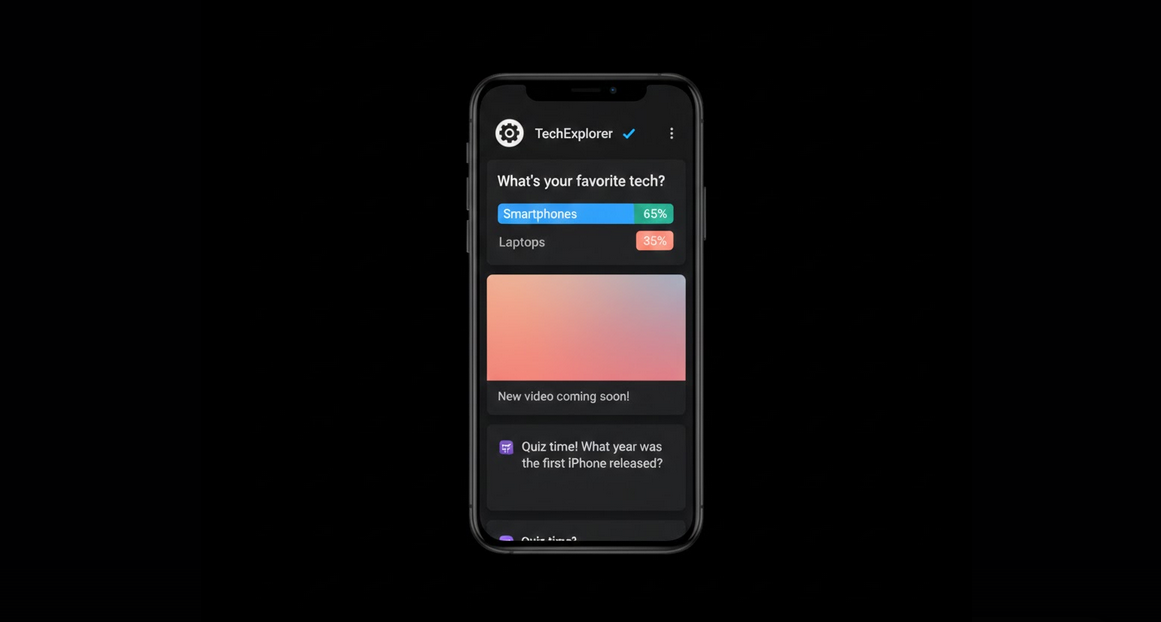
YouTube Community Tab is a built-in tab where creators may post messages, polls, pictures, and other updates not associated with videos uploaded. It works as a social media feed on YouTube where creators may communicate with their followers aside from videos.
What Will You Find in the Community Tab
Creators use the Community Tab for posting various kinds of content to supplement video uploads on YouTube channel.
- Text Posts: Text updates, announcements, thoughts or questions that are posted to community posts directly.
- Image Posts: Pictures, behind-the-scenes pictures, memes or any kind of picture updates.
- Polls: Polls where users have to choose one of the options provided.
- Quizzes: Knowledge tests related to content created by the channel.
- Video Shares: Video uploaded either by the channel itself or by another creator accompanied with the comment of the author.
- GIF Posts: Animated pictures used for posting updates.
- Premiere and Live Announcements: Information about future live streams or video schedule of the channel.
How to Access the Community Tab
- From the Channel Page: Go to any eligible channel page and click the Community tab which is located between the Videos and Playlists.
- From Your Feed: Community posts by the subscribed channels will appear in your subscriptions feed and homepage.
- From Notifications: If the notifications are enabled, then you will receive notifications about community posts in your notification bar.
Interactions with the Community Posts
- Like the Post: You can like the community post using the thumbs-up icon.
- Comment on the Post: Leave a comment on any community post in order to communicate with the creator and other users.
- Participate in the Polls: You should choose one of the options in the poll posts. Results are being updated in real time as more users participate in the poll.
- Share the Post: Share the community post using the share button.
- Report the Post: Report any community posts using the report button in the three-dot menu.
Community Tab in YouTube Vanced
All features of the Community Tab work perfectly in YouTube Vanced application including interactions. You will be able to view the posts, participate in polls, leave comments and communicate with the creators as you do on the official YouTube app. Ad-free YouTube browsing ensures that community posts will be opened instantly without any ads popping up along with your feed. You will be able to switch between community posts, videos and playlists easily.
Due to Vanced MicroG accounts’ authentication all your votes, comments and likes will be synchronized across all your devices and interactions made via Vanced won’t be distinguishable from the interactions made via the official YouTube app.
Importance of the Community Tab for Viewers
- Receive Updates: You will get the information about future videos, schedule changes or any other important announcements without having to wait for video uploads.
- Influence the Content: Participate in the polls that will help creators to make the decision about future content based on your preferences.
- Connection: Community posts are more personalized and direct compared to videos and help to establish a stronger connection with the creator.
- Discover New Content: Creators usually post links to other channels or videos in their community posts so that you can find new interesting content.
Community Tab for Creators
- Eligibility: When the channel reaches the subscriber threshold set by YouTube (which has been lowered many times), then it receives access to the Community Tab.
- Engagement Tool: Questions and polls allow receiving direct feedback from the audience that will help to plan future content.
- Signal to the Algorithm: Active participation in the Community tab is an additional signal for the algorithm to promote the channel’s content.
- Fast Updates: Text and picture posts allow engaging the audience between video productions.
Audience Who Will Benefit from the Community Tab
- Active Subscribers: Viewers who want to be more involved in the activities of their favorite creators aside from watching videos.
- Poll Lovers: Users who like participating in polls and influencing the decisions of creators about their content.
- Creators: YouTubers who need direct communication and feedback from the audience without making videos.
- Community Builders: Channels focused on building their audience through continuous interaction.
Final Words
Community Tab is a great feature added by YouTube to its platform to enhance social media functionality. There is a lot of engagement that videos cannot provide such as polls, quizzes and pictures. YouTube Vanced will allow you to browse community posts in the ad-free environment and interact efficiently.
